Track cash, bank, savings and debt in one clear view
Extrack is a free personal finance tracker. Snap a receipt and let AI sort it into expenses, budget by category, and compare any two months side by side.
Free to use · English and বাংলা
Everything you need to keep track
One place for every wallet, transaction and budget.
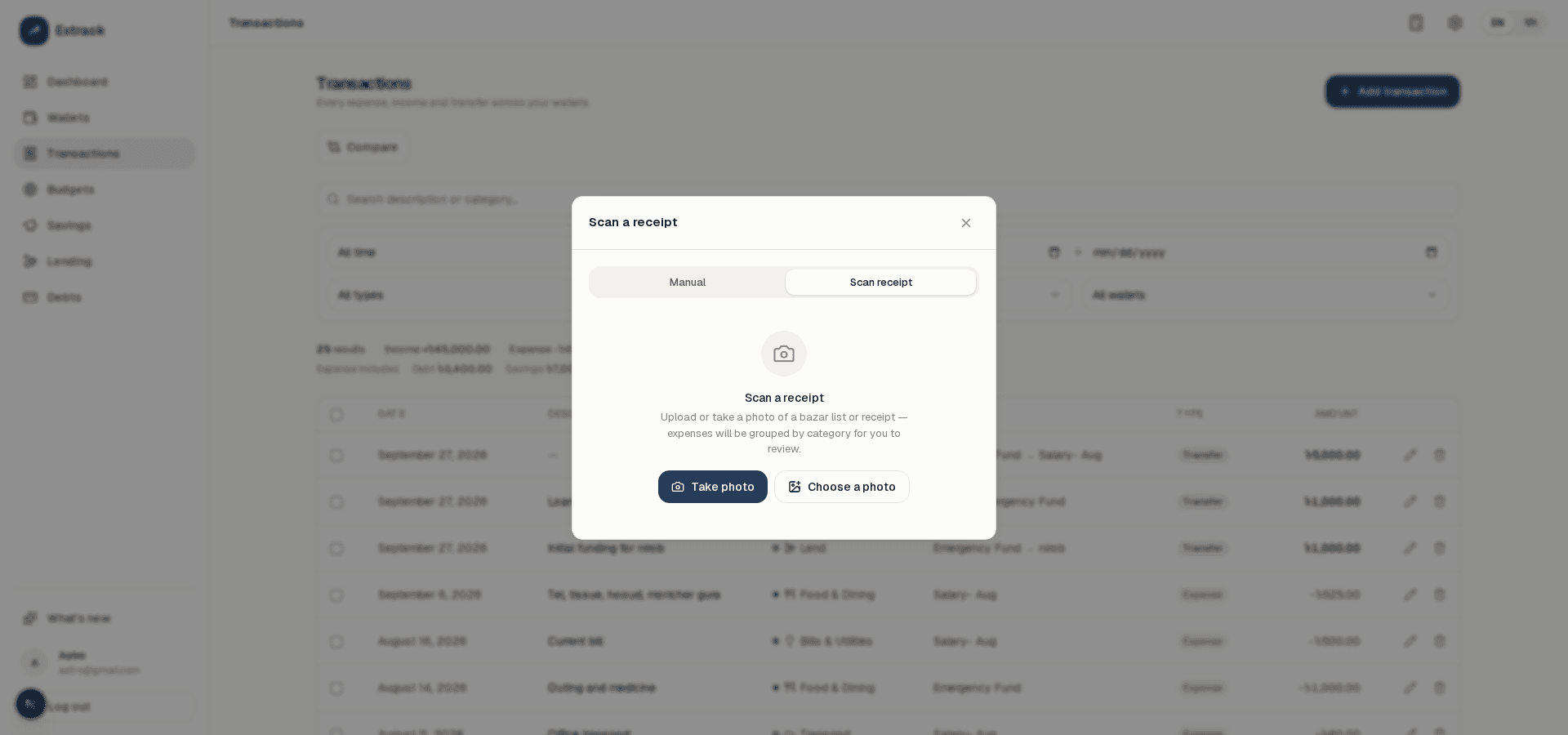
Scan receipts with AI
Photograph a bazar list or receipt and get your expenses sorted by category, ready to review and confirm.
A wallet for every kind of money
Cash, bank, savings, lending and debt wallets, each with its own balance. A card's balance is what you owe; a lend wallet's is what you're owed.
Every expense, income and transfer
Log what you spend and earn, or move money between wallets. Search and filter by month, category, wallet and date.
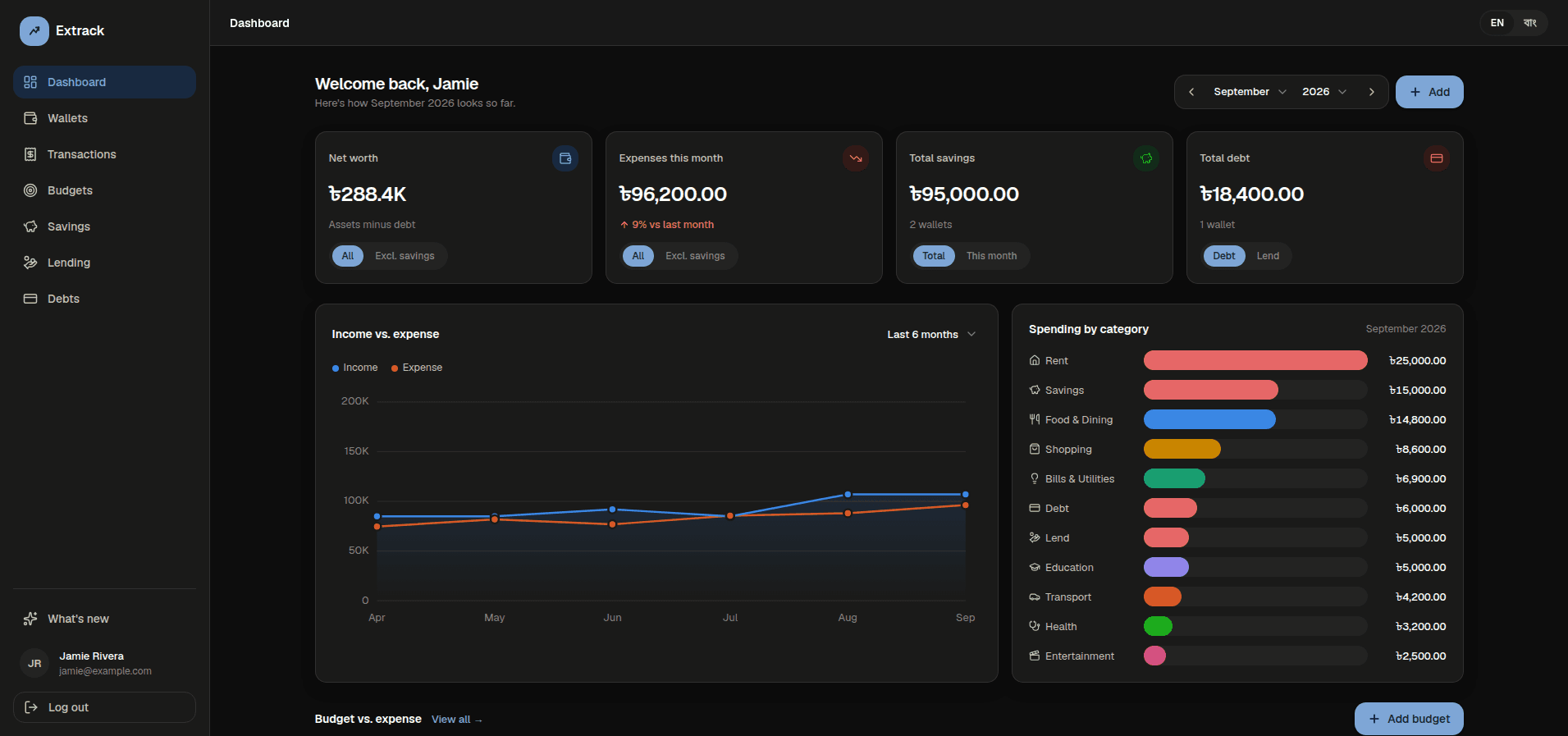
A dashboard that tells the story
Net worth, monthly expenses, savings, budget progress and a spending-by-category chart, all on one screen.
Budgets that show where you stand
Set a monthly limit for each category and see spending against it at a glance, with a clear over-budget state.
Savings, lending and debt in one place
Putting money into savings, lending it out and paying off a debt all count as spending in the month they happen, so your totals stay honest.
Compare any two months
Line two months up side by side, category by category, and see exactly what changed.
Browse any month, fast
Step through your history month by month, or search and filter by type, category, wallet and date.
A calculator that follows you
Open a draggable calculator from any page to work out a split or a total without leaving the app.
Private and secure
Your data is only ever yours. Sign in with email or Google, with email verification and password reset built in.
English and বাংলা
Use the whole app in English or Bangla, with native numerals, dates and ৳ amounts.
Shaped by you
See every release in What's new, and suggest or vote on the features you want next.
Snap a receipt. Get your expenses.
Stop typing every item by hand. Take a photo or upload one, and Extrack reads it for you.
- Scan with your camera or pick a photo from your gallery — with a preview so you can retake a blurry shot.
- Items are grouped into the right categories automatically, with each category's description listing what you bought.
- Review and edit everything before it's saved. Save one expense per category, or one per item.
- Bring your own Claude, ChatGPT or Gemini key — Gemini works free. Your key is encrypted and your receipt photo is never stored.
How it works
Set up your wallets
Create an account and start with cash, bank, savings and card wallets. Add more any time.
Log as you go — or just scan
Add expenses, income and transfers in a few taps, or photograph a receipt and let AI fill it in. Balances update instantly.
See the full picture
Watch net worth, monthly spending and budgets on one dashboard.
Frequently asked questions
Is Extrack free?
Yes. Creating an account and using every feature is free.
How does receipt scanning work?
Take or upload a photo, and an AI model (Claude, ChatGPT or Gemini — your choice, with your own API key) reads the items and sorts them into categories. You review and edit the result before anything is saved. The photo itself is never stored.
Does it work well on my phone?
Yes. Extrack is built for small screens too, and the receipt scanner opens full screen on phones with a flashlight button where your device supports it.
Which currency does it use?
Wallets default to Bangladeshi taka (৳), shown with Bangla numerals when you use the Bangla interface.
Is my financial data private?
Your wallets and transactions belong to your account and are never shown to other users. The team only sees totals such as how many accounts exist — never your balances or transactions.
How do I sign in?
With your email and password (we email you a link to confirm your address) or with your Google account.
Can I track money I've lent or debts I owe?
Yes. Lending and debt wallets track what you're owed and what you owe. Paying off a debt or lending money out counts as spending in the month it happens.